Elimination of Multicollinearity in a Regression Model
This example demonstrates how to detect and eliminate multicollinearity between variables in ndCurveMaster. The workflow shows how to identify correlated predictors using VIF and the Pearson correlation matrix, combine highly correlated variables into a single predictor, and then search for a more accurate regression model.
This is a practical example of regression model improvement in a situation where multicollinearity reduces model quality and makes interpretation less reliable.
First, load the dataset containing collinear variables: Collinearity.txt, which you can download here: Collinearity.txt.
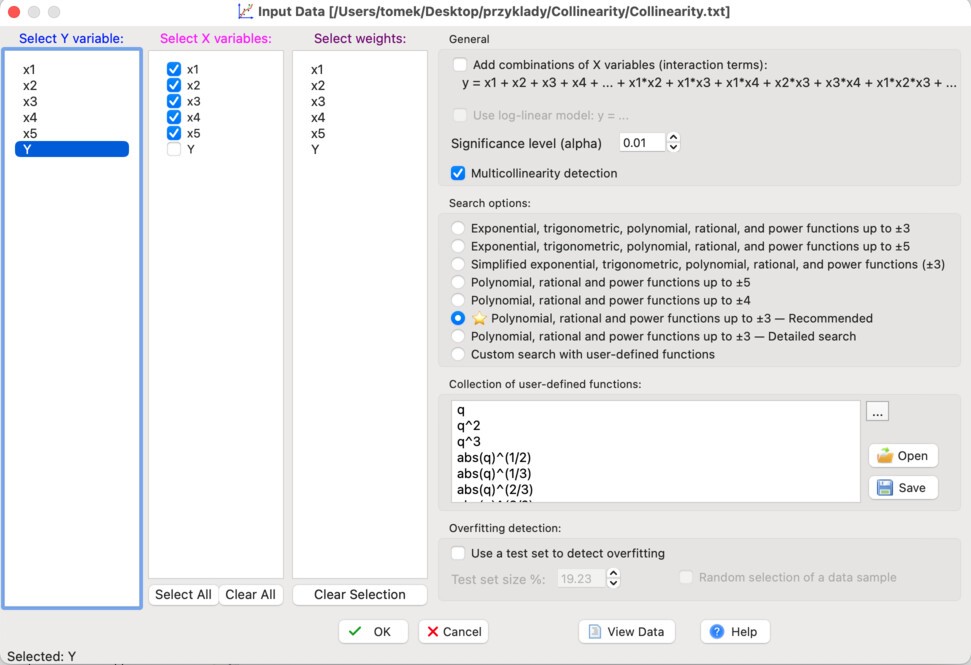
Apply the settings shown in the figure below:
After loading the dataset, you will obtain the following basic linear model:
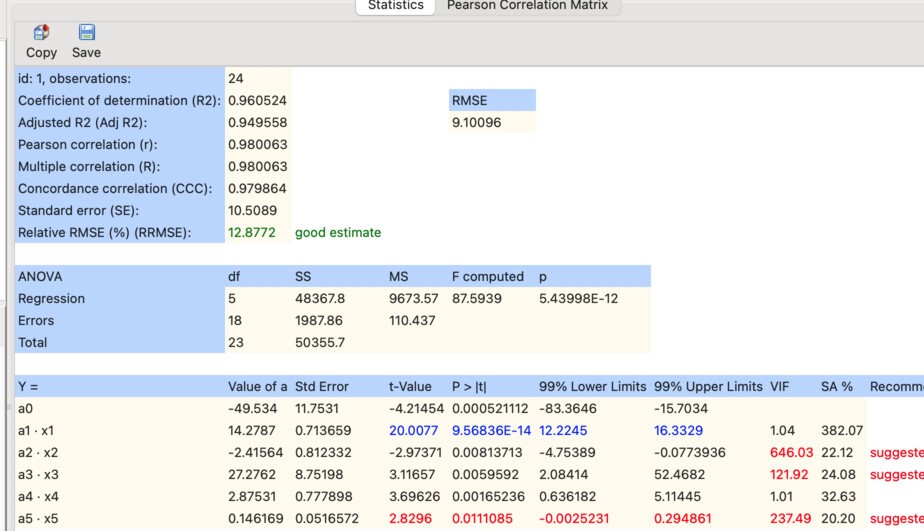
As shown, the VIF values for variables x2, x3, and x5 are too high, indicating multicollinearity.
This is also confirmed by the Pearson correlation matrix:
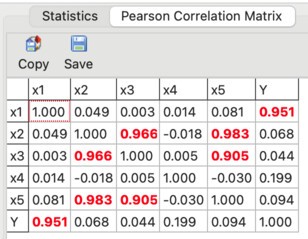
What does this matrix show? Variables x2, x3, and x5 are strongly correlated with each other, which means they are not independent.
One way to eliminate multicollinearity is to combine such variables into a single predictor and remove the original variables from the model. In many cases, this approach is effective and leads to better model stability.
Therefore, we first combine variables x2, x3, and x5 into a single predictor. To do this, click Manually Expand and create a new predictor as shown below:

After this step, the model is extended with the new predictor:
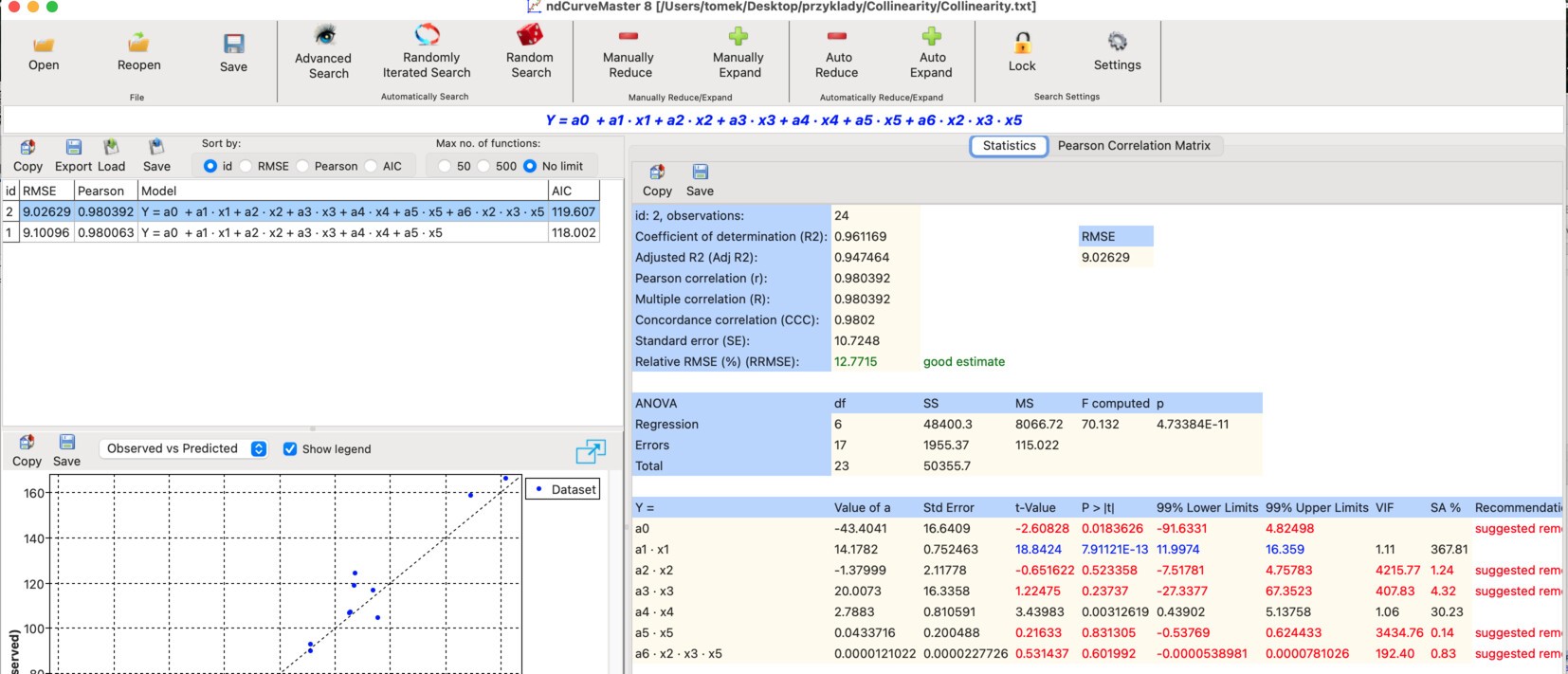
Next, remove variables x2, x3, and x5. Click Manually Reduce and deselect these variables as shown:
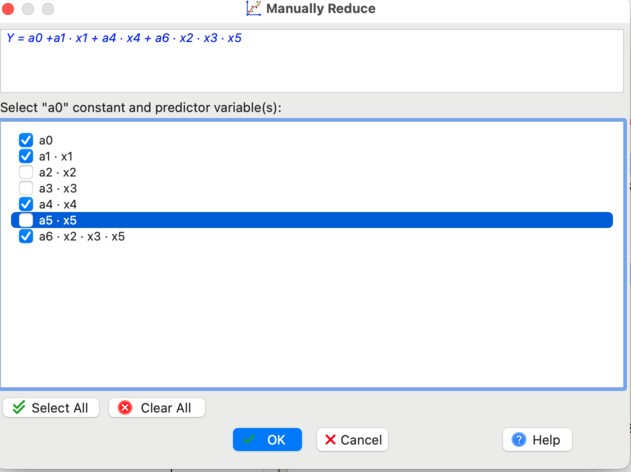
The resulting model is:

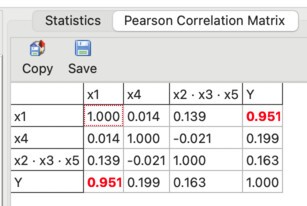
As shown, the VIF values are now low.
This is also confirmed by the updated Pearson correlation matrix:
Now we perform a model search to check whether a more accurate model can be obtained. Before starting, apply the following settings:
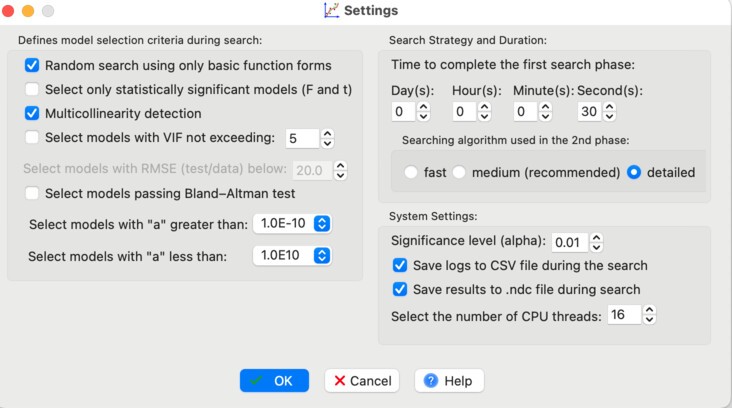
Then click Advanced Search.
After a short time, a list of models appears. The most accurate one is model id: 52:
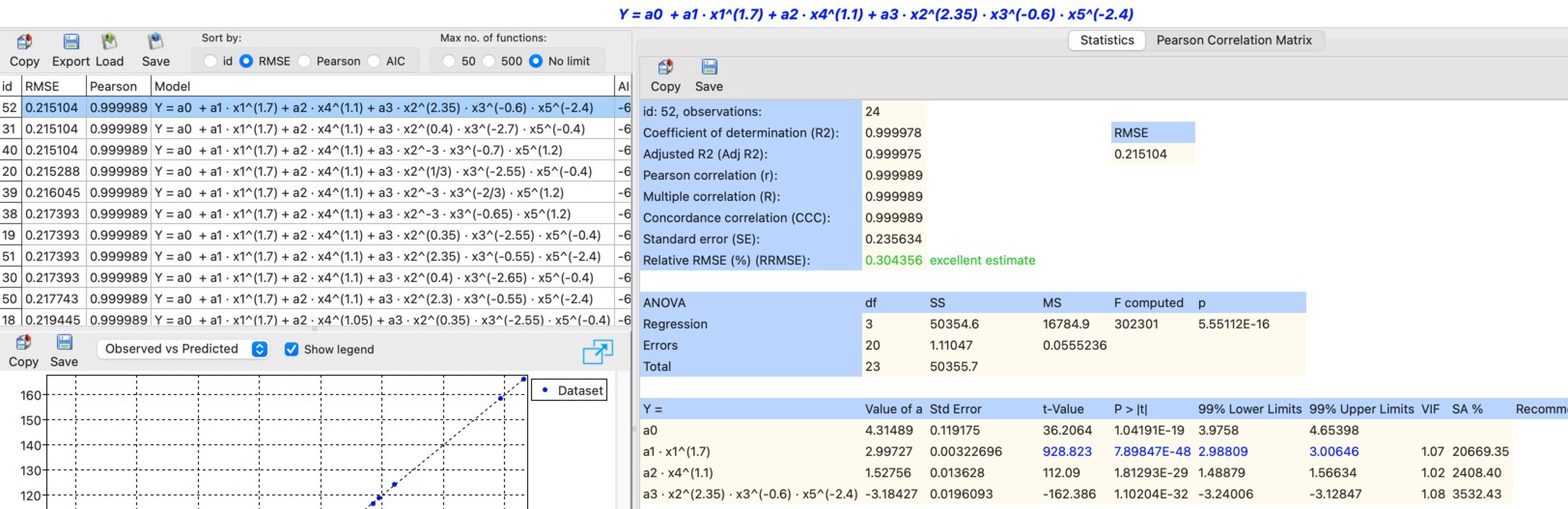
Its form is:
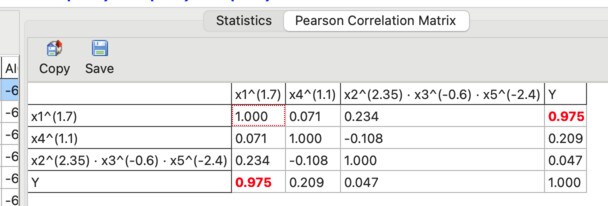
The Pearson correlation matrix confirms that multicollinearity is no longer an issue:
Model id: 52 has RMSE = 0.215, which is significantly lower than for model id: 3, defined as:
For model id: 3, RMSE = 11.244.
As a result, multicollinearity has been eliminated and the model accuracy has been significantly improved.
ndCurveMaster project file
You can download the project file for this analysis here: Collinearity.ndc
Frequently Asked Questions
What is multicollinearity in a regression model?
Multicollinearity occurs when two or more predictors are strongly correlated with each other, which makes the model less stable and can reduce the reliability of coefficient interpretation.
How can multicollinearity be detected?
In this example, multicollinearity is detected using VIF values and the Pearson correlation matrix.
How can multicollinearity be eliminated?
One practical method is to combine strongly correlated predictors into a single new predictor and then remove the original variables from the model.
Does eliminating multicollinearity improve model accuracy?
In this example, yes. After eliminating multicollinearity and searching for a better model form, the RMSE dropped dramatically from 11.244 to 0.215.