Curve Fitting Tutorial: From Polynomial to Nonlinear Model
The primary use of ndCurveMaster is curve fitting. In many simple cases, this can be done in Excel, but for more complex relationships curve fitting in Excel may become difficult, limited, or inefficient.
This tutorial shows how to fit a curve to data step by step, starting with a simple polynomial model and then improving it by searching for a more accurate nonlinear equation.
Let us consider the following example:
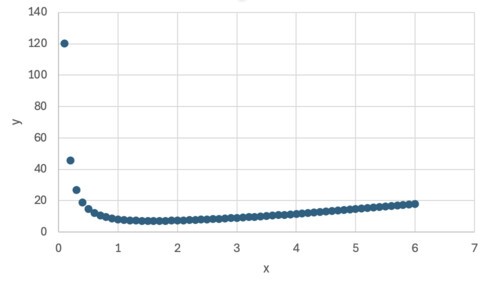
First, we load the file CurveFitting.txt into the program. You can download this file here.
Next, in the program window, we set the parameters as shown below:
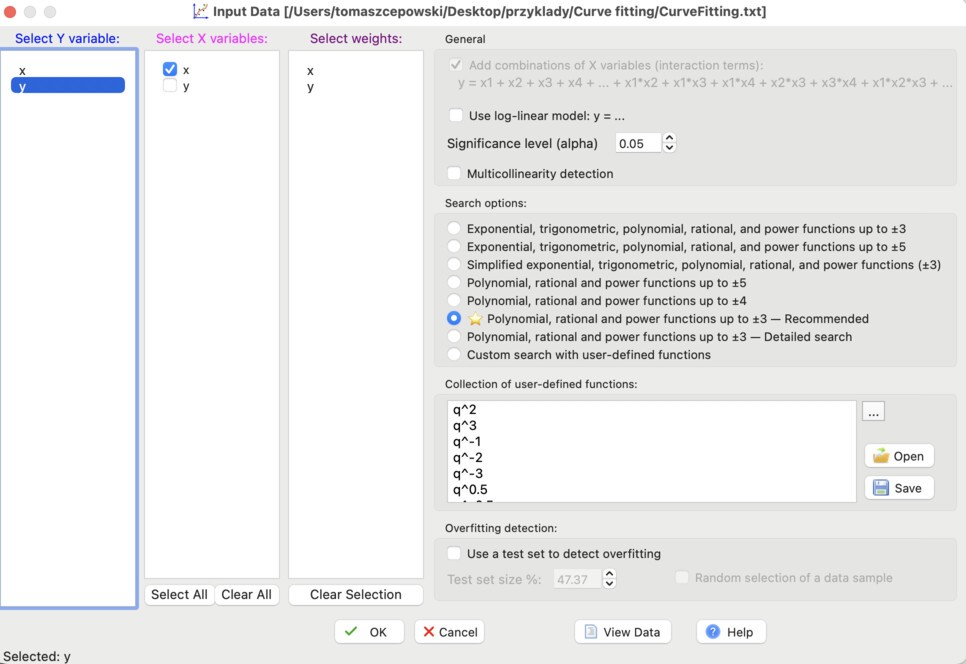
In the Search options section, we select:
Polynomial, rational and power functions up to 3.
After confirming, the initial linear model containing one predictor will appear:
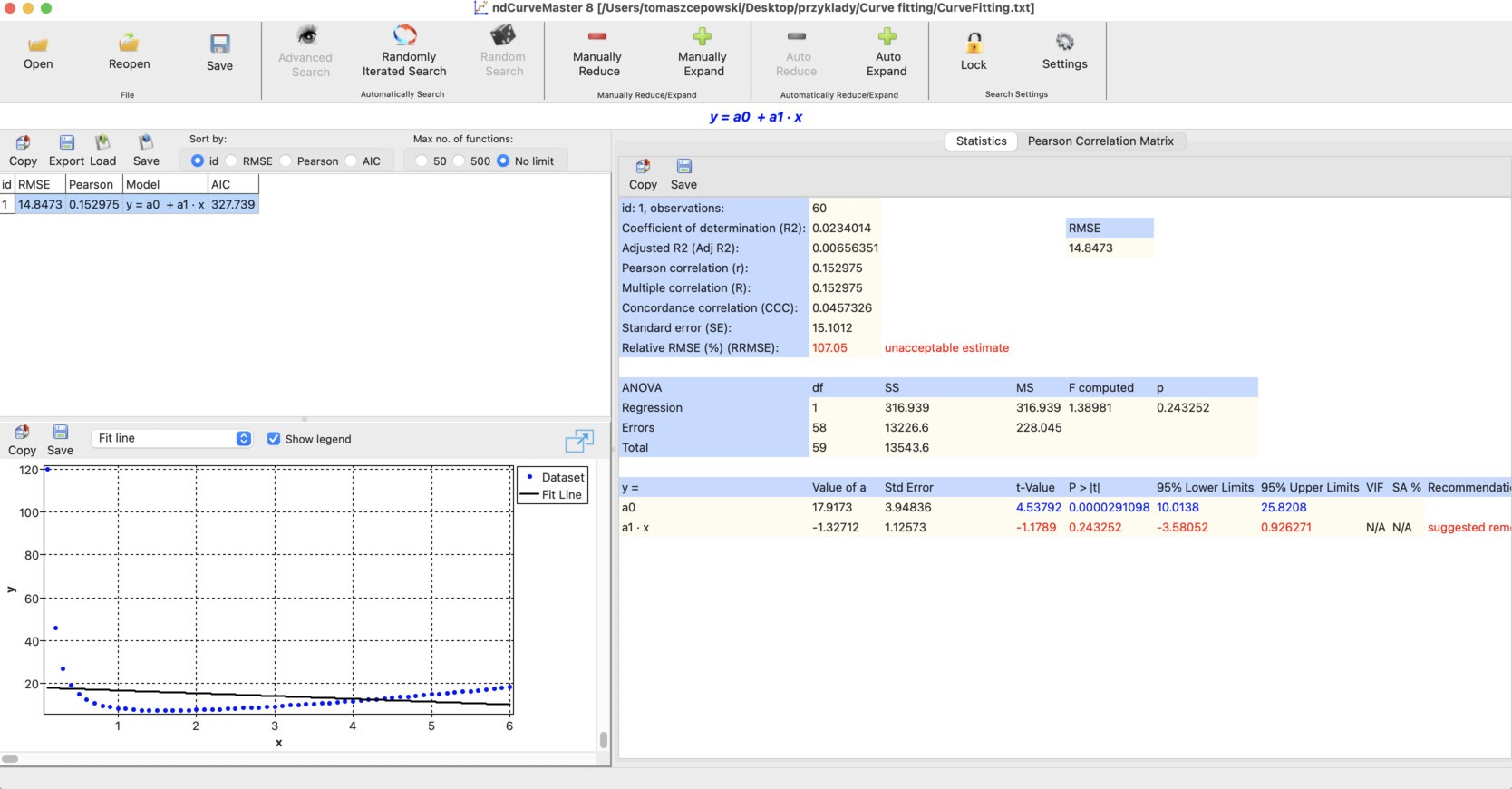
Next, we extend the model by adding additional nonlinear predictors. The easiest way to do this is by clicking the Load button. More details on loading and saving functions can be found here.
We load the function set poly3.mf5:

We confirm the selection by clicking Yes:
The model is then extended with additional predictors:
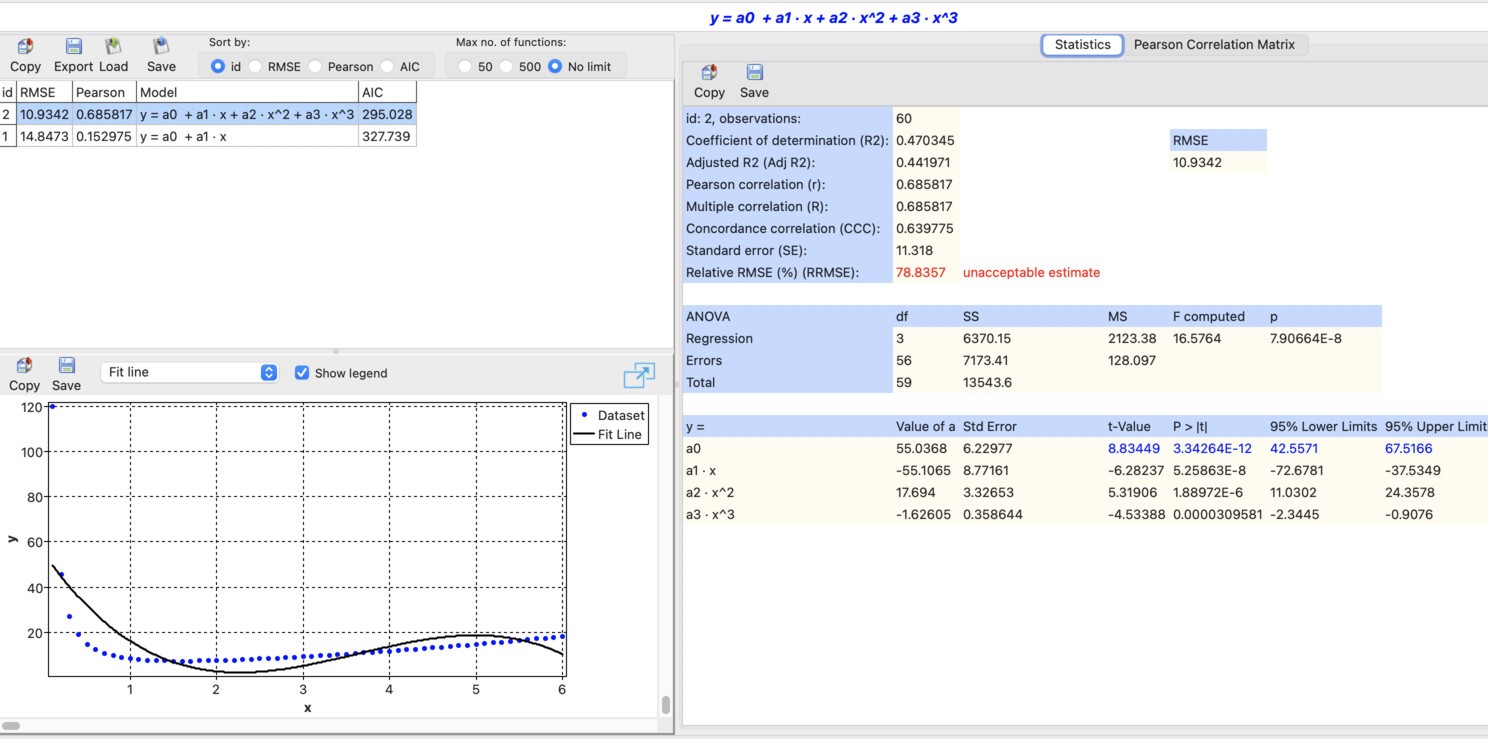
As can be seen, the polynomial:
does not provide a good fit to the data.
Therefore, we will try to improve the model by searching for a more suitable nonlinear equation.
First, we change the settings:

Next, we click Advanced Search to start the search.
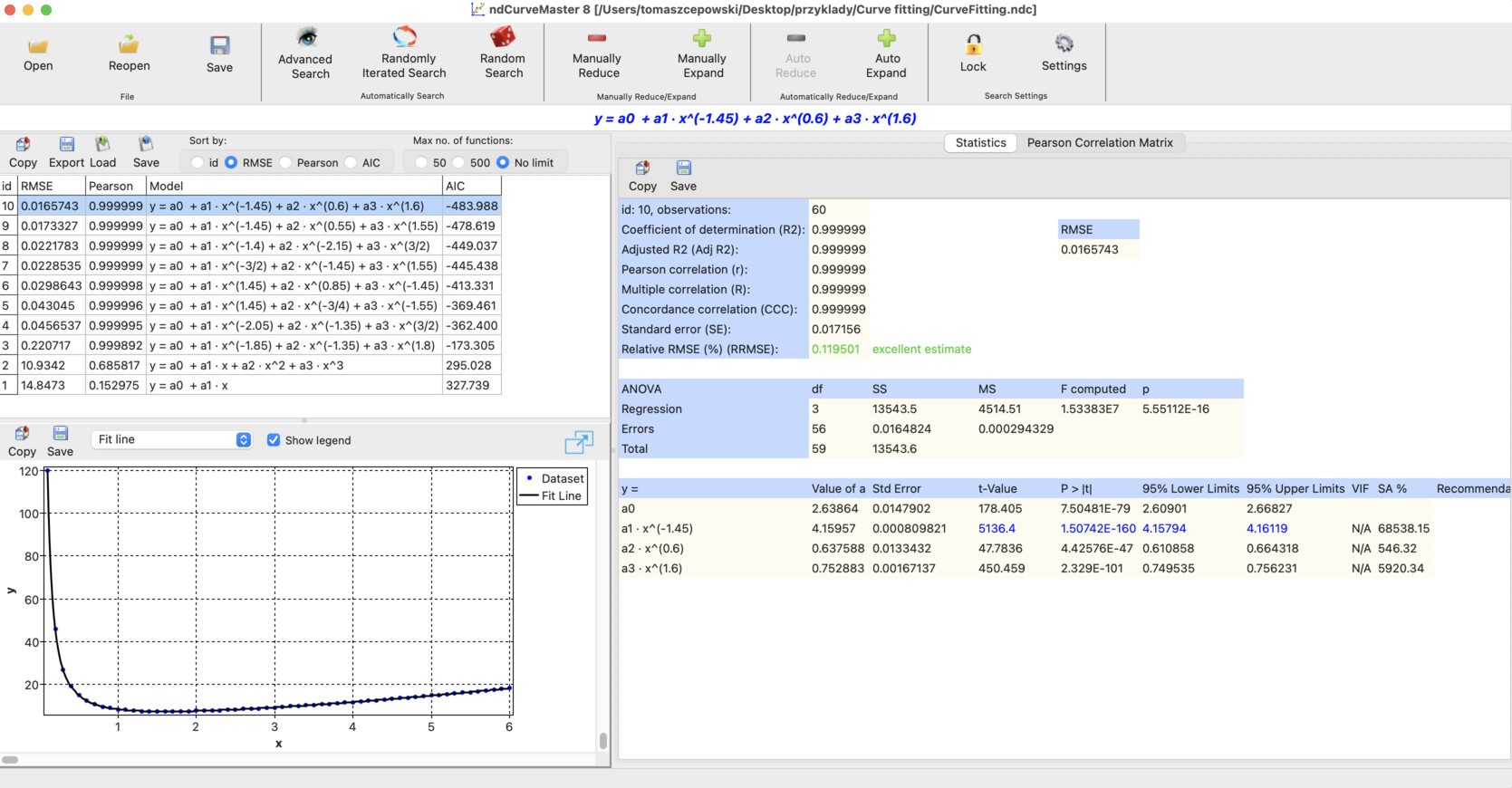
After a short time, the program finds the following equation:
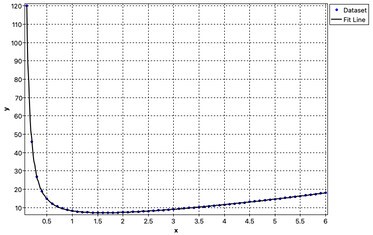
Fitting plot
Model statistics

As can be seen, the obtained model describes the data very well, both visually and in terms of regression statistics.
ndCurveMaster project file
The ndCurveMaster project file for this example:
CurveFitting.ndc
Frequently Asked Questions
What is curve fitting?
Curve fitting is the process of finding a mathematical equation that describes the relationship between input data and the output variable as accurately as possible.
Why is polynomial curve fitting not always enough?
A polynomial model may be too limited for more complex data patterns. In such cases, nonlinear curve fitting can provide a much more accurate result.
Can ndCurveMaster fit nonlinear curves automatically?
Yes. ndCurveMaster can automatically search for nonlinear predictor forms and identify equations that fit the data more accurately than a simple polynomial model.
Is this a curve fitting alternative to Excel?
Yes. This example shows that while simple curve fitting can sometimes be done in Excel, more advanced nonlinear curve fitting tasks are often easier and more effective in ndCurveMaster.